
AviSafe

    Operations dashboard

    AviOps – the full picture of your drone operation in real time

    AviOps gives the operations lead everything they need on one screen: live video, drone positions, weather, tasks and communication with the pilots. It only shows what is active right now.

    Request a demo
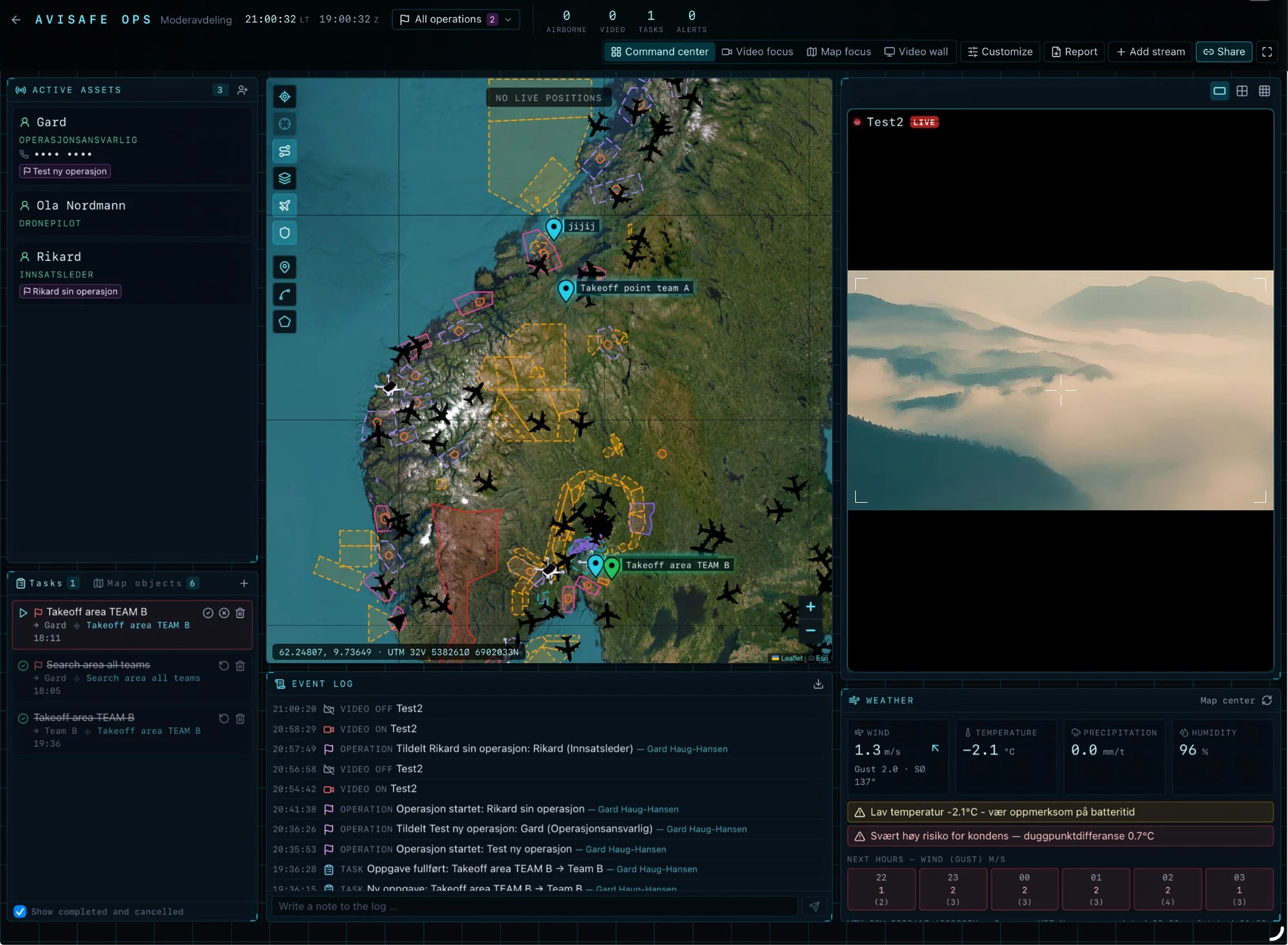
    AviOps command centre with an operation selector, view options, active assets with roles, a map of Norway with airspace zones and air traffic, live video, tasks, an event log and MET Norway weather with warnings

    Everything the operations lead needs, on one screen

    Live video from every source

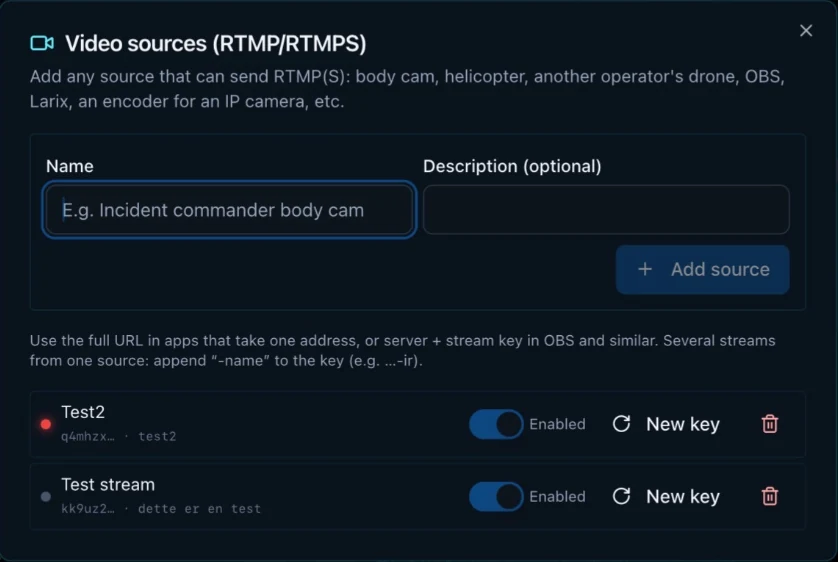
    • Live video from drones and anything that streams over RTMP or RTMPS: body cams, helicopters, another operator's drone, OBS, Larix or an IP camera encoder.
    • Add a new video source in seconds. You get a ready-made URL and stream key, and can switch the source on and off or generate a new key.
    • Several streams from one source, for example the normal camera and IR.
    • Show every active stream at once, however many you have.
    Real-time map

    • Drone position, altitude, speed and battery, with a track behind each drone.
    • Airspace zones and SafeSky air traffic as map layers.
    • Draw search areas, lines and points directly on the map. The area is calculated automatically.
    • Coordinates in both degrees and UTM, ready to read out over the radio.

    Send to DJI FlightHub 2

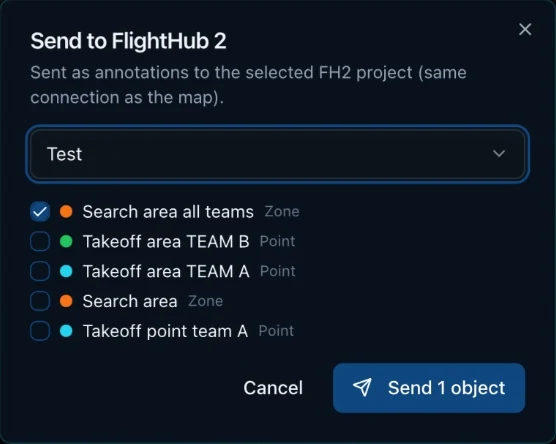
    • Send search areas, lines and points from the map to a chosen DJI FlightHub 2 project.
    • They show up as annotations for the pilots, so everyone works from the same map.
    • Choose which map objects to send.

    SMS and messages with replies

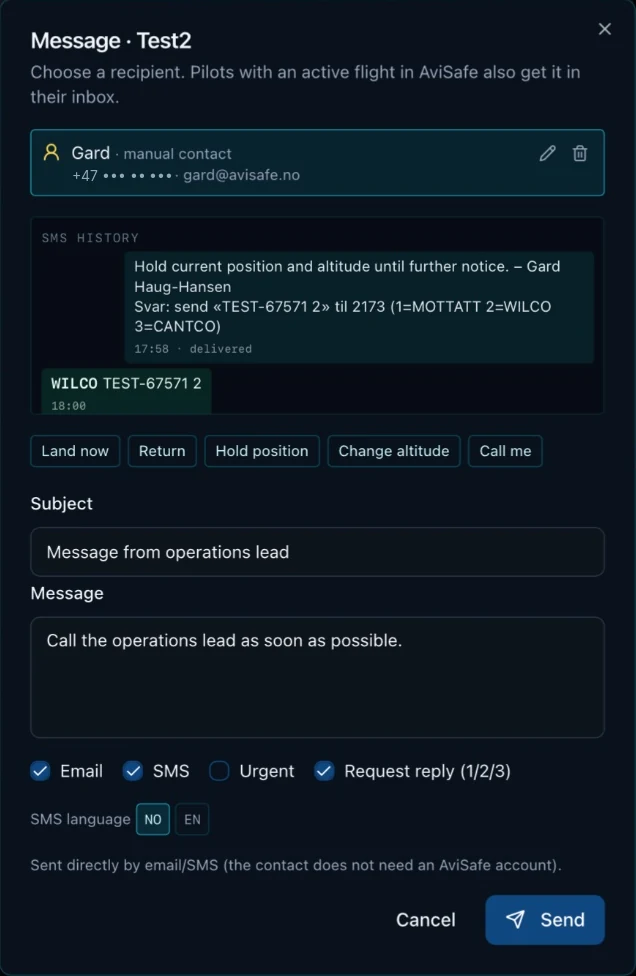
    • Message pilots and field personnel by SMS, e-mail and the AviSafe inbox, including people without an AviSafe account.
    • Quick messages such as “Land now”, “Return”, “Hold position”, “Change altitude” and “Call me”.
    • Request a reply: the recipient answers 1, 2 or 3 (RECEIVED, WILCO or CANTCO) by SMS, and the reply shows up in the dashboard straight away.
    • SMS history per contact, urgent flag, and SMS and reply options in English or Norwegian.

    Tasks

    • Create tasks and assign them to people and teams.
    • Create a task straight from a search area or point on the map.
    • Start, complete or cancel tasks, and see what has been done.

    Event log and report

    • Flights, video, messages, SMS replies, tasks and map objects are logged automatically with a timestamp.
    • Write your own notes straight into the log.
    • Create a PDF report of the operation for the period you choose, for example the last 24 hours.

    MET Norway weather that follows the map

    • Wind, gusts, temperature, precipitation and humidity wherever you look on the map. The weather updates automatically as you move the map.
    • Hourly wind and gust forecast with a flight assessment.
    • Warnings for low temperatures that drain batteries, and for risk of condensation.

    Sharing with access control

    • Share the whole dashboard, or pick what to share: video, map and positions, active assets, weather, event log and pilot names.
    • The recipient gets a link and a 6-digit access code by e-mail or SMS, and does not need to log in.
    • You choose how long the share lasts and can stop it at any time. Every view is logged.
    • Shares are read-only. Messages to pilots are never shown.
    • Invite anyone to follow the dashboard, including people without an AviSafe account.

    Templates for every mission

    • Switch between command centre, video focus, map focus and video wall with one click.
    • Move and resize panels.
    • Save your own layouts as templates, for example “Search and rescue”, and share them with colleagues.

    What it looks like

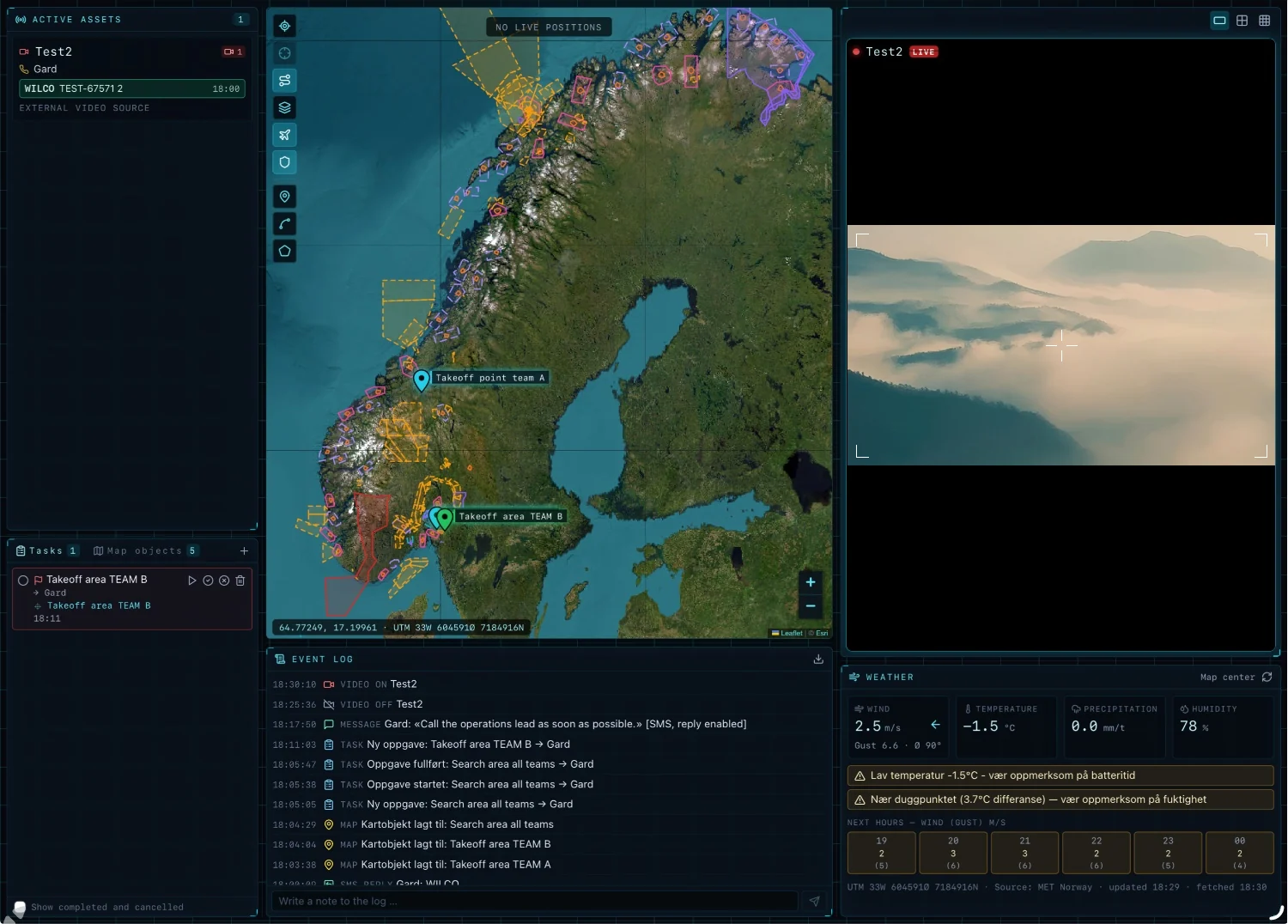
    AviOps with a map of Norway showing airspace zones, take-off points for two teams, a task, the event log, live video and weather with a low-temperature warning
    The whole operation in one view: airspace zones, take-off points, tasks, event log, live video and weather with warnings.
    Message dialog with SMS history and a WILCO reply, quick messages, options for e-mail, SMS, urgent and request reply, and SMS language
    Send a message with one click and request a reply. The WILCO reply comes straight into the dashboard.
    Dialog for sending search areas and points from the map to a DJI FlightHub 2 project
    Send search areas and points to DJI FlightHub 2 as annotations.
    Video sources dialog for RTMP and RTMPS with two active sources, an on/off switch and a new key button
    Add video sources over RTMP or RTMPS, such as body cams, helicopters or OBS.

    Built for operations with many resources

    Built for emergency services, search and rescue, inspection and other operations where several resources have to be coordinated at once.

    Requires AviSafe with administrator access.